阿里云Redis
云数据库redis页面
https://kvstore.console.aliyun.com/Redis/dashboard/cn-beijing
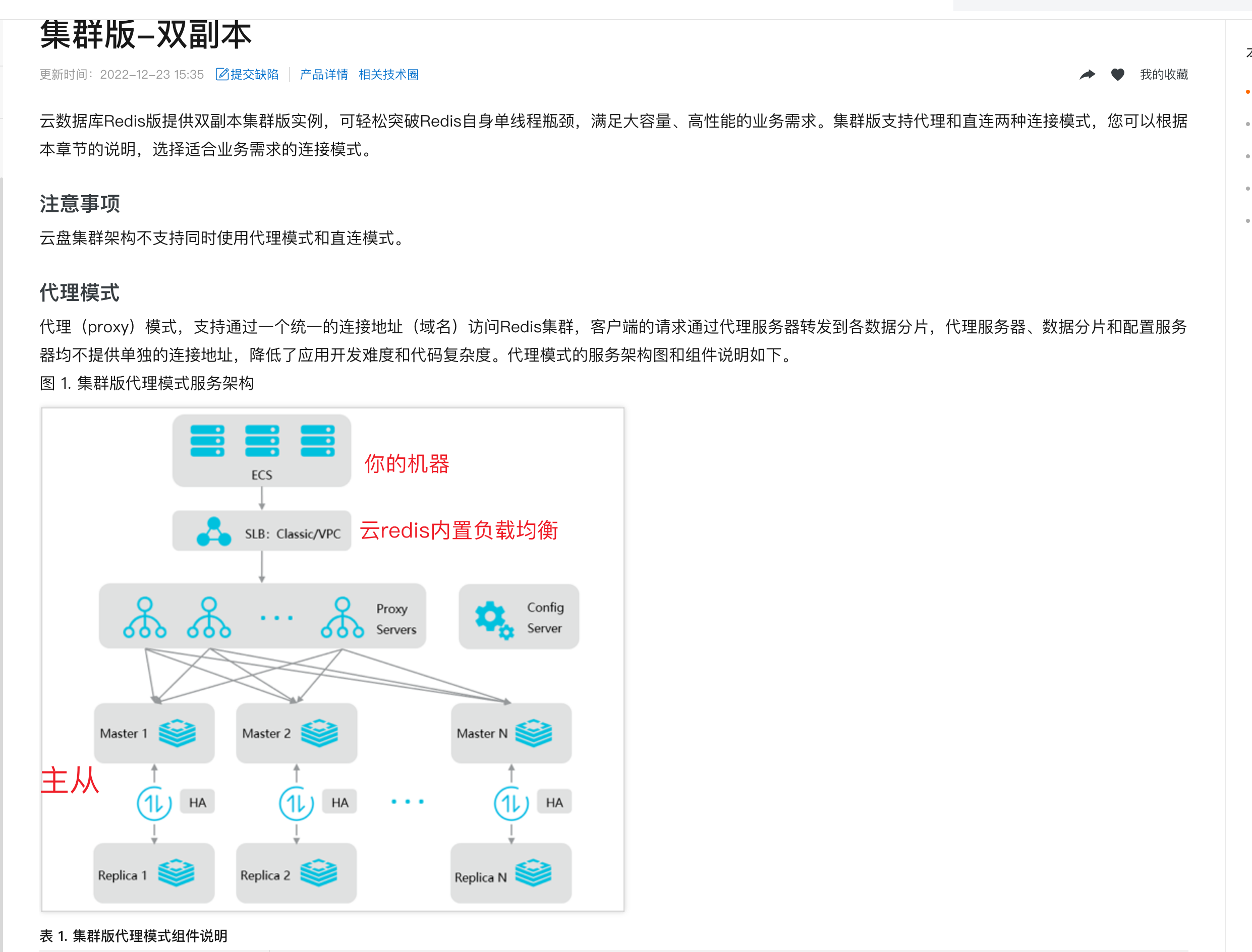
云redis架构文档
https://help.aliyun.com/document_detail/52228.html?spm=5176.15153210.0.0.247d778bD6tGaL
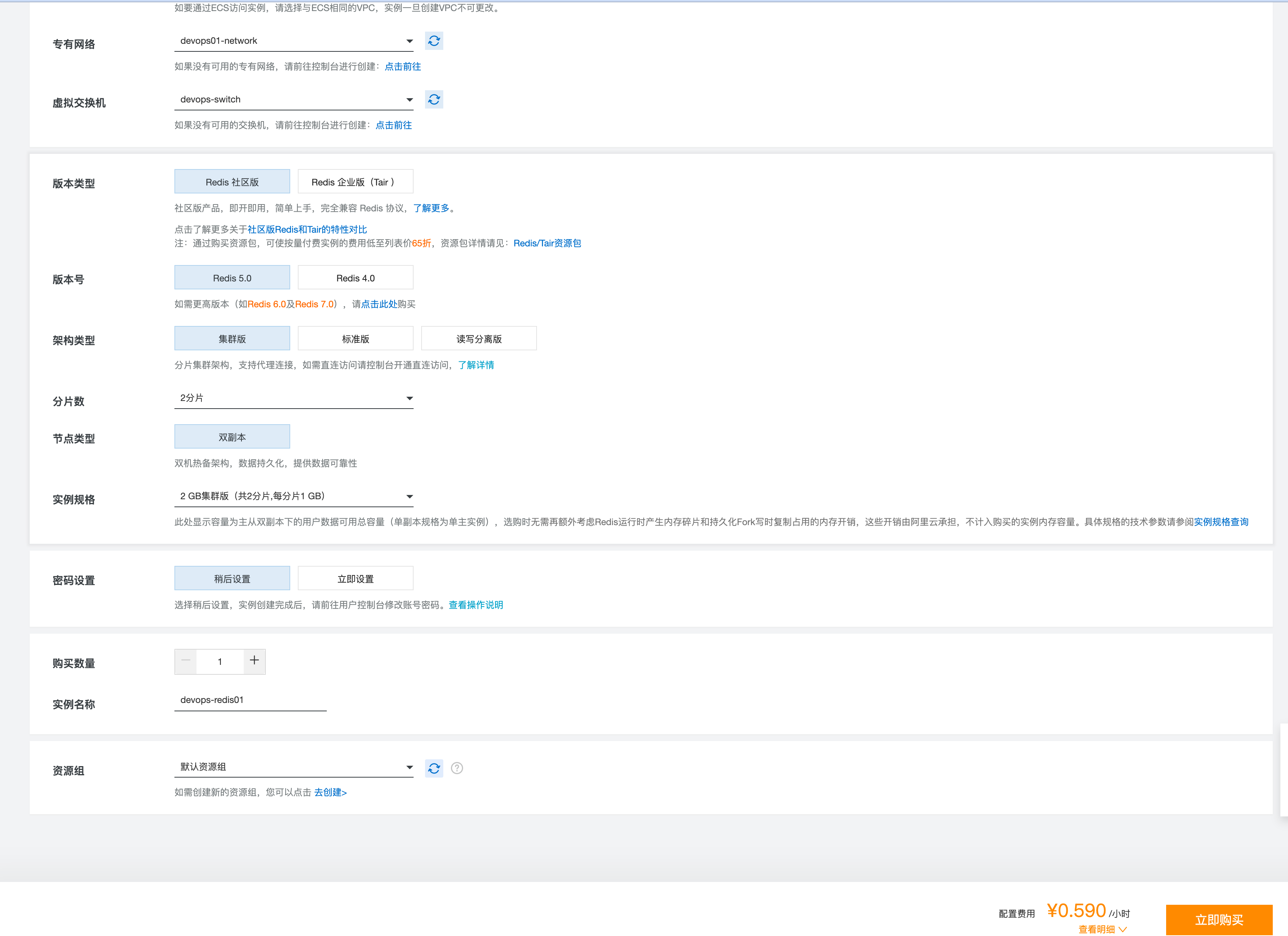
购买云redis
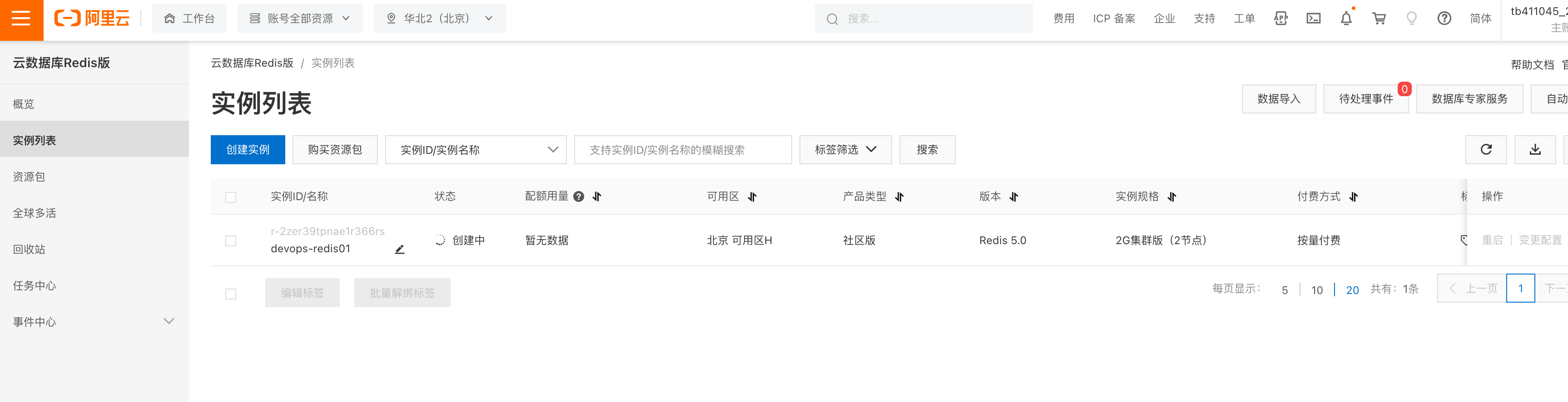
使用云redis
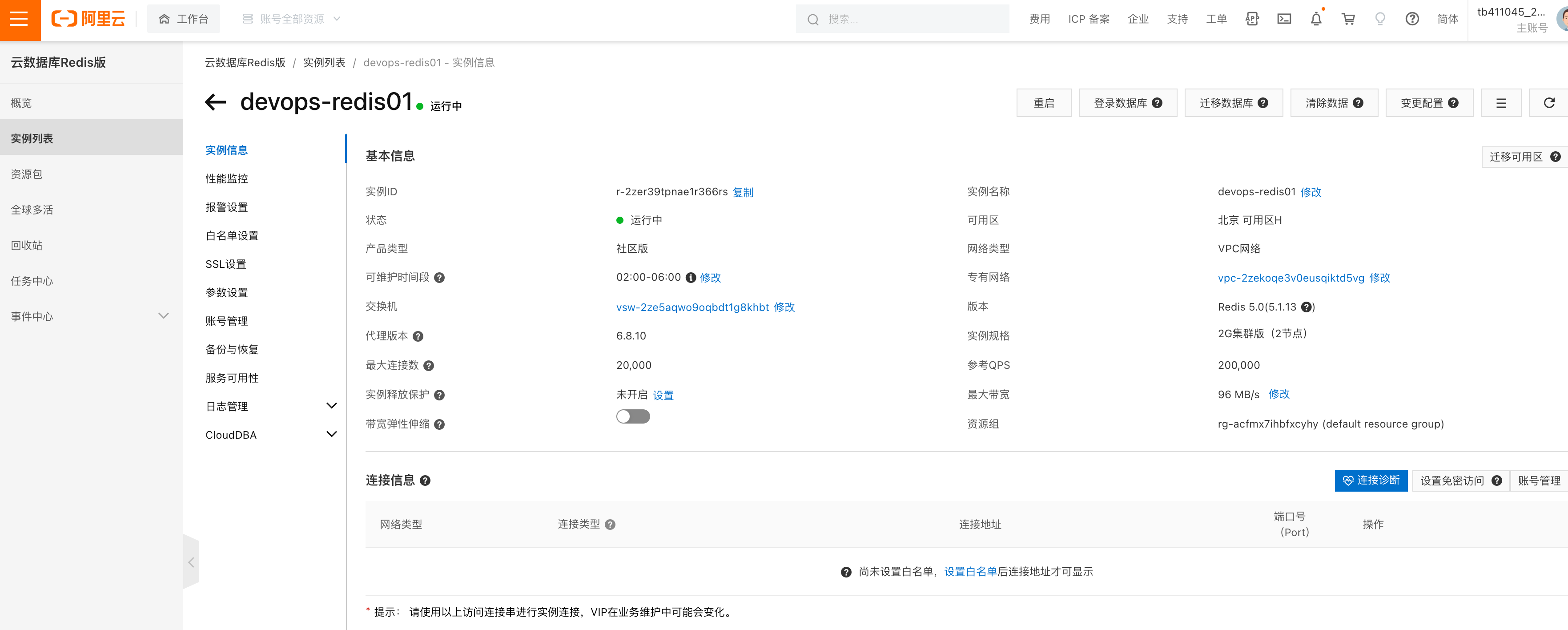
登录云redis
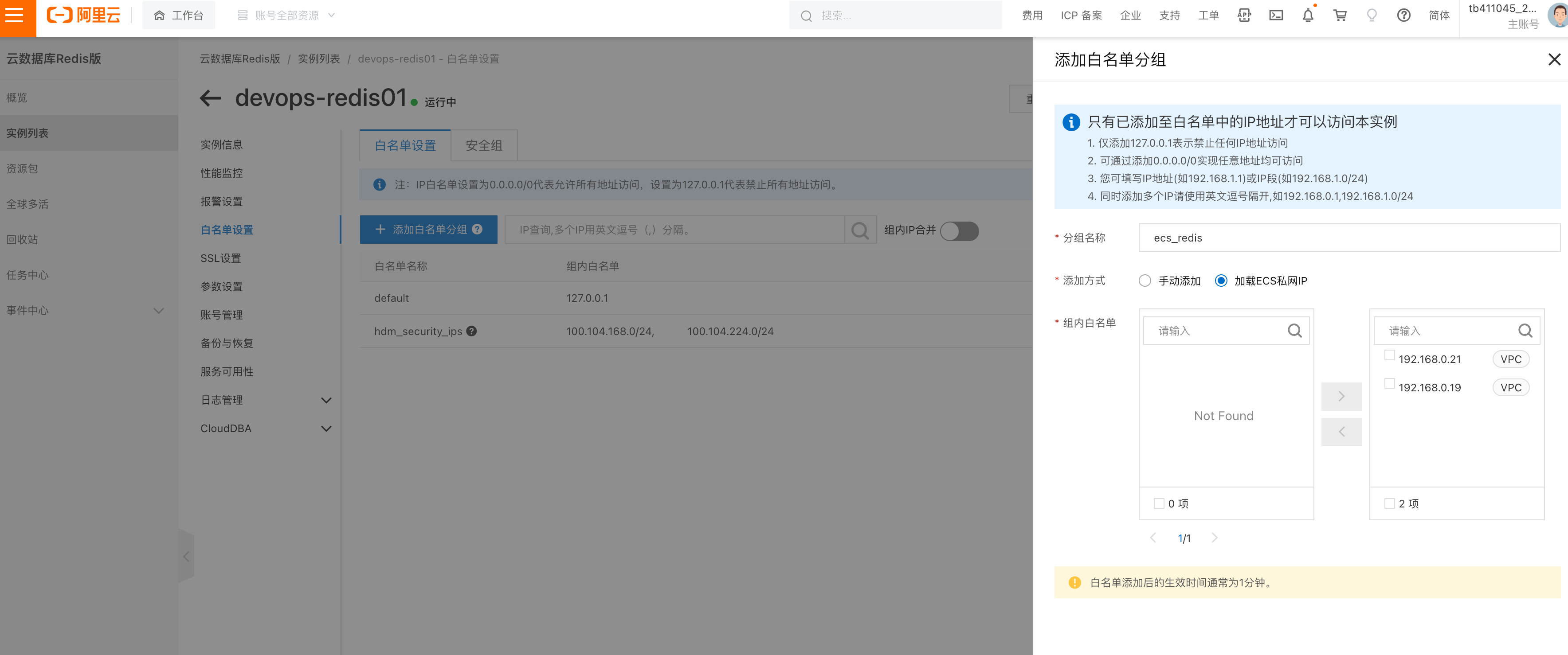
添加白名单
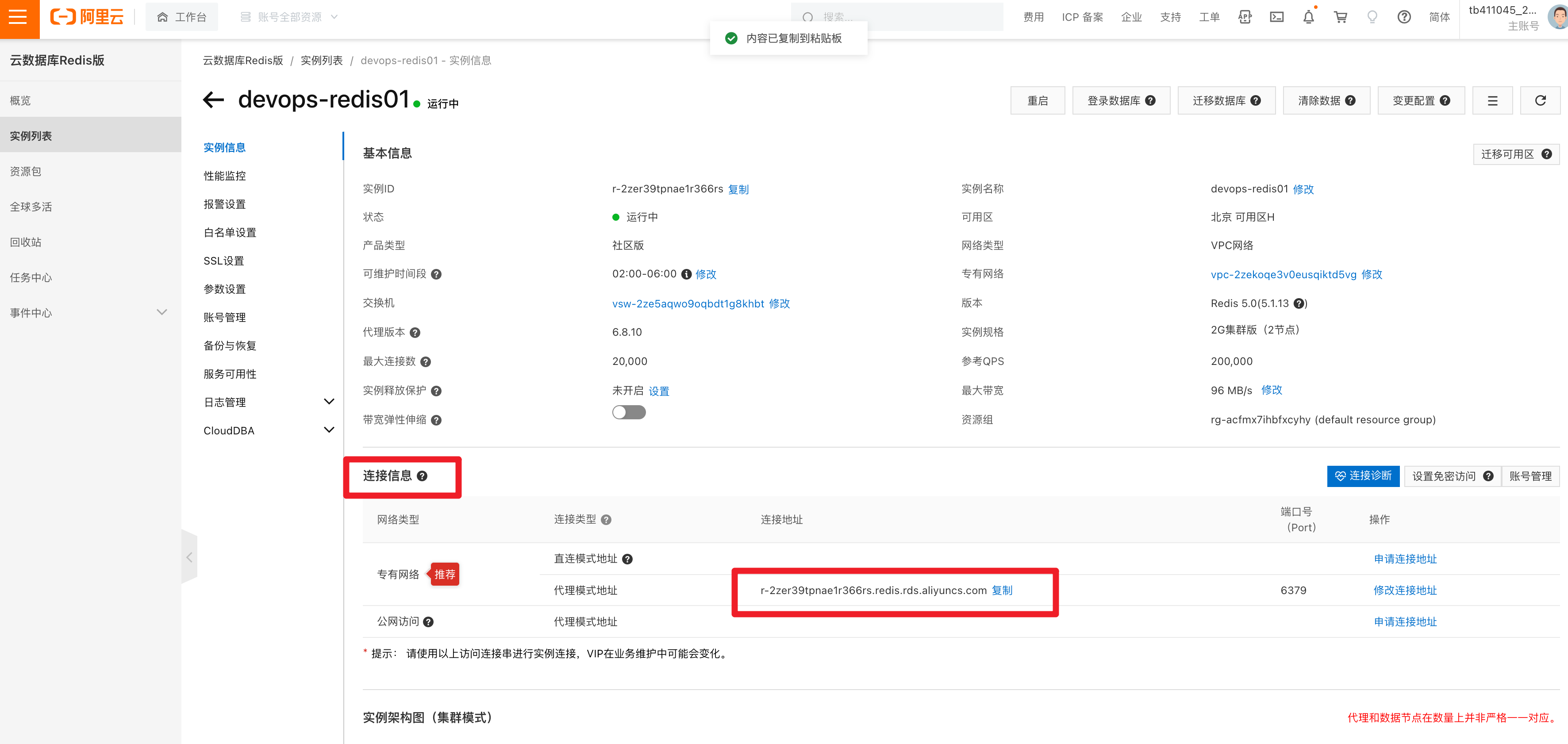
连接云redis地址
重置密码
Yuchao123

ECS内网登录redis

[root@devops-web02 ~]#
[root@devops-web02 ~]# redis-cli  -h r-2zer39tpnae1r366rs.redis.rds.aliyuncs.com
r-2zer39tpnae1r366rs.redis.rds.aliyuncs.com:6379> auth Yuchao123
OK
r-2zer39tpnae1r366rs.redis.rds.aliyuncs.com:6379> dbsize
(integer) 0
r-2zer39tpnae1r366rs.redis.rds.aliyuncs.com:6379> set website www.yuchaoit.cn
OK
r-2zer39tpnae1r366rs.redis.rds.aliyuncs.com:6379> get website
"www.yuchaoit.cn"
r-2zer39tpnae1r366rs.redis.rds.aliyuncs.com:6379>
升级redis配置
在线动态升级

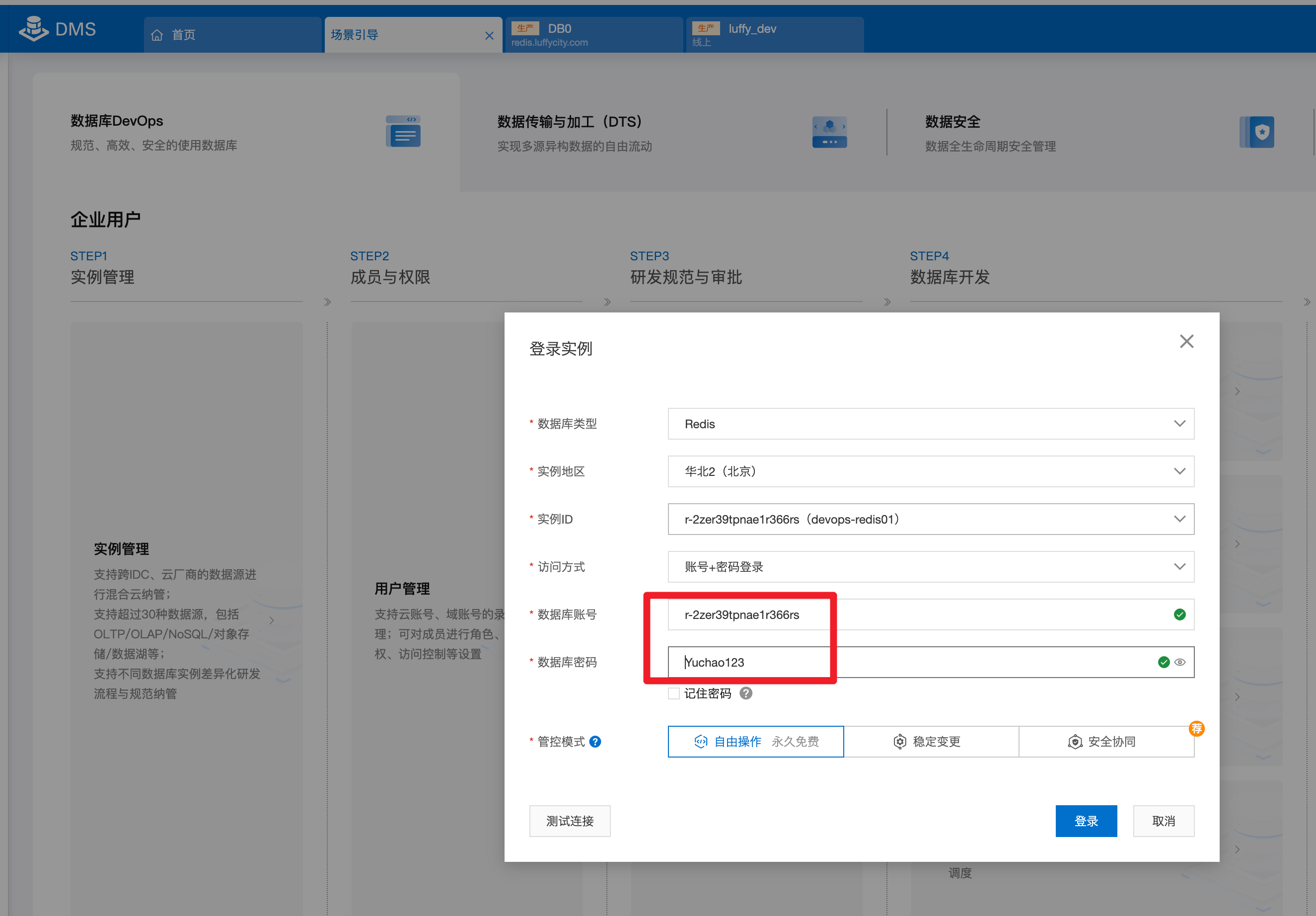
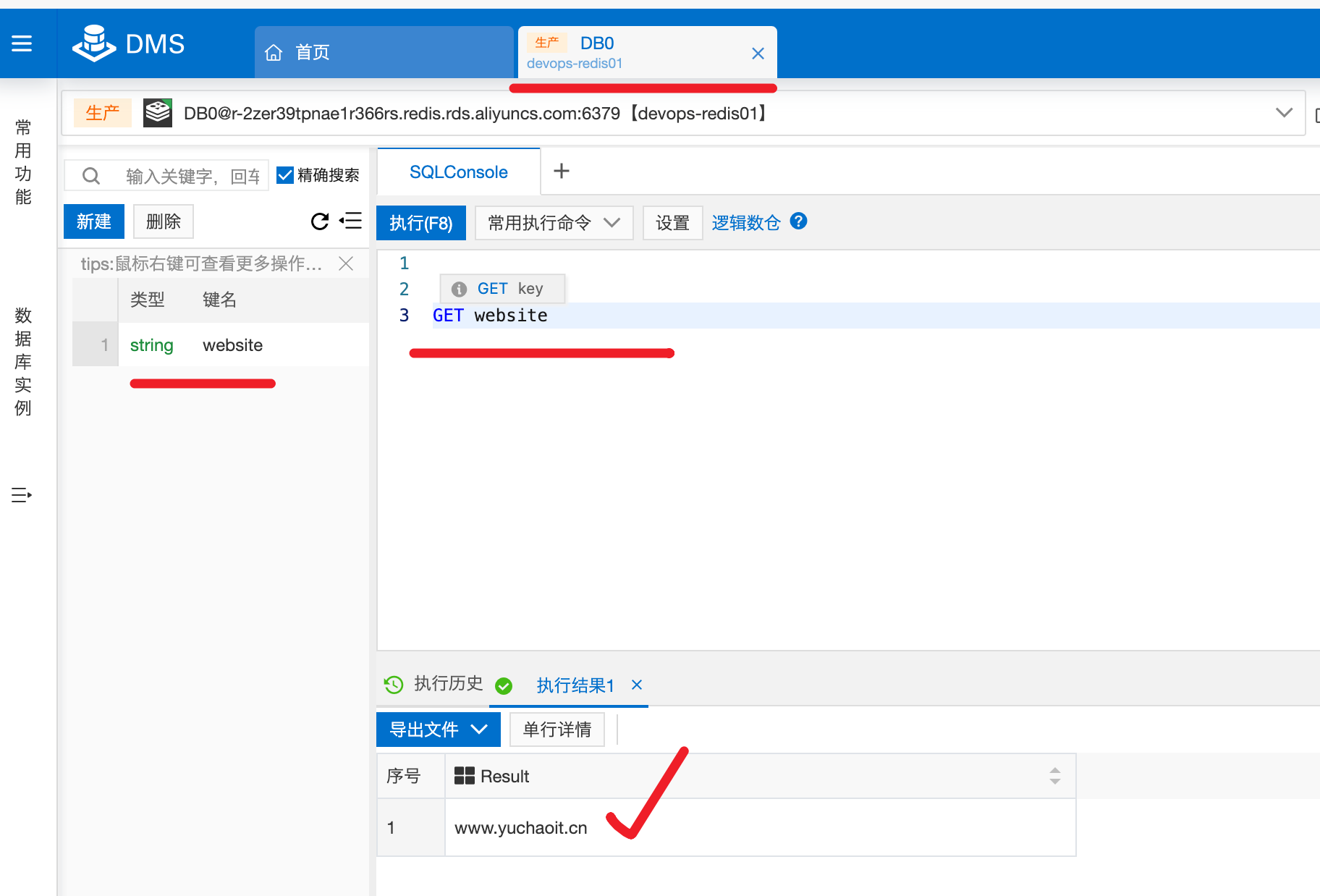
DMS系统管理redis
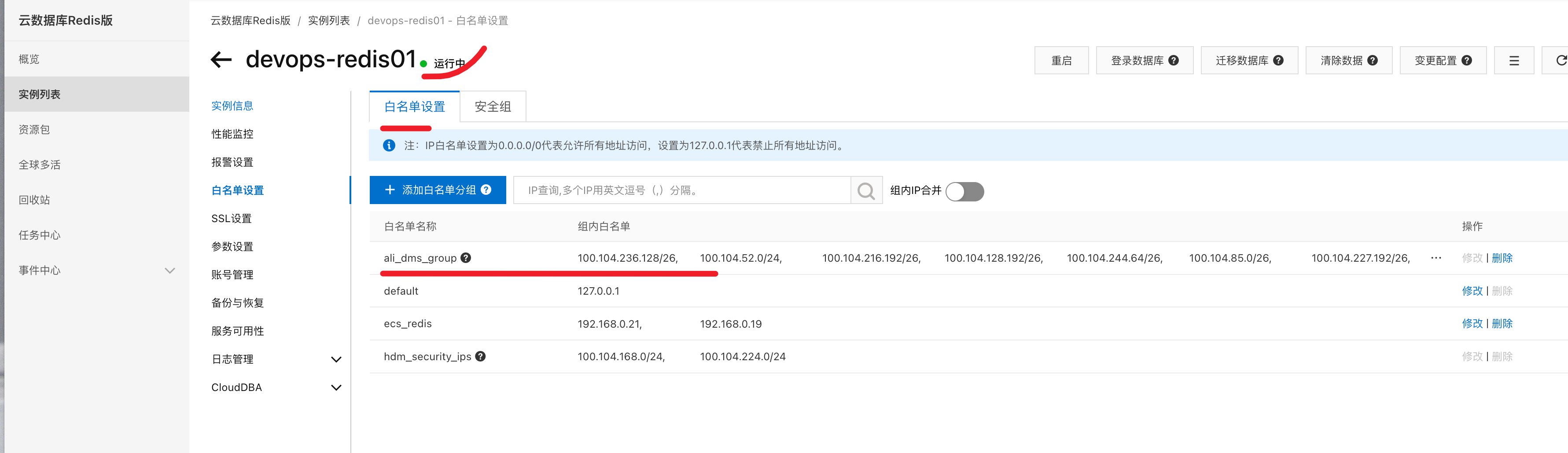
需要添加DMS系统至Redis白名单
DMS操作redis
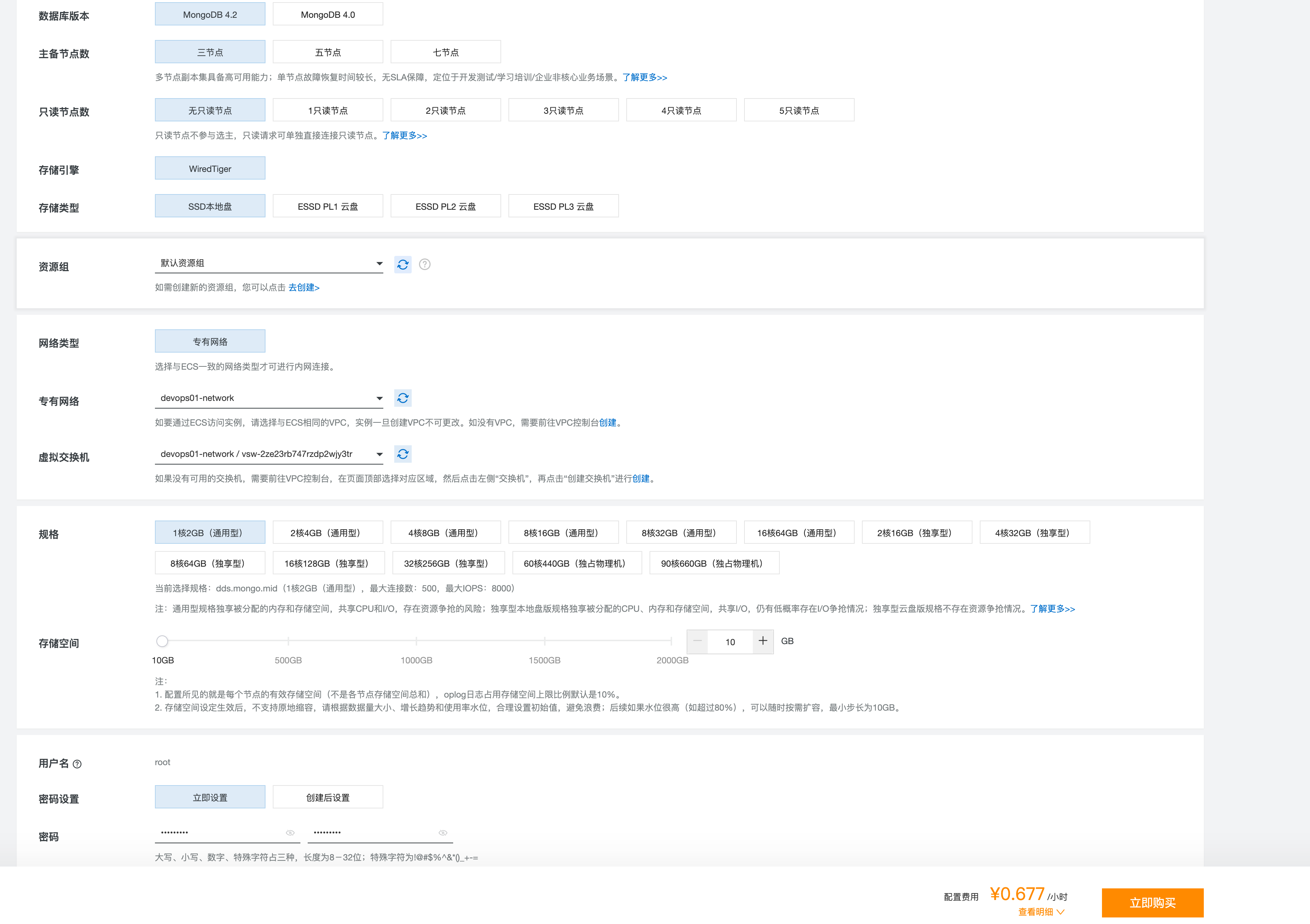
购买云MongoDB
https://mongodb.console.aliyun.com/dashboard/cn-beijing
root
Yuchao123
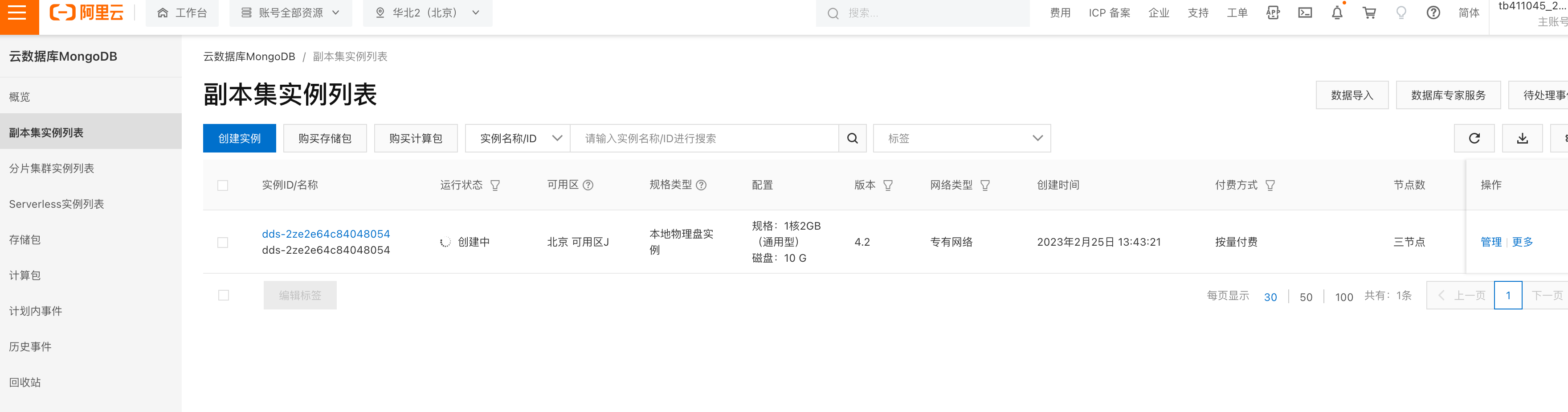
云MongoDB创建中
https://mongodb.console.aliyun.com/replicate/cn-beijing/
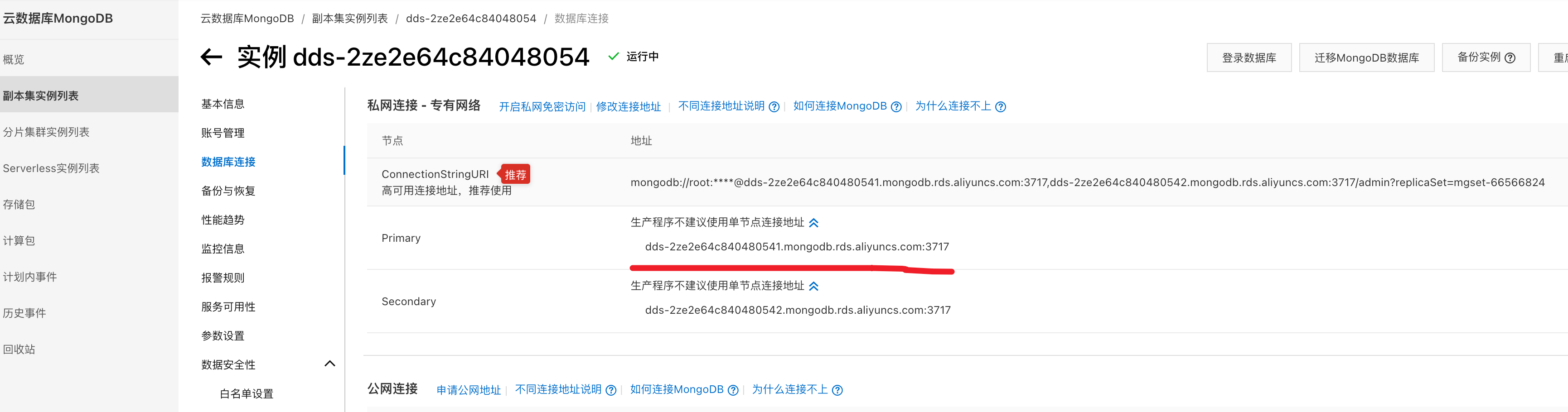
连接云mongodb
添加白名单
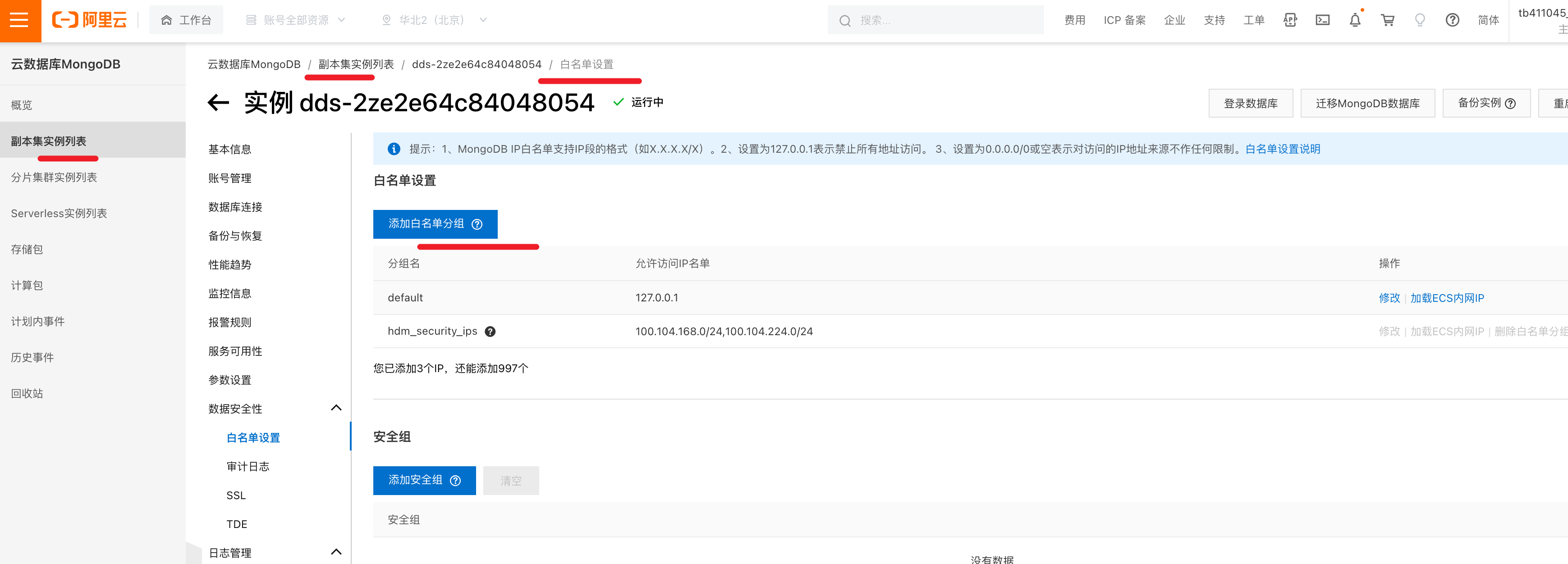
加载ECS内网
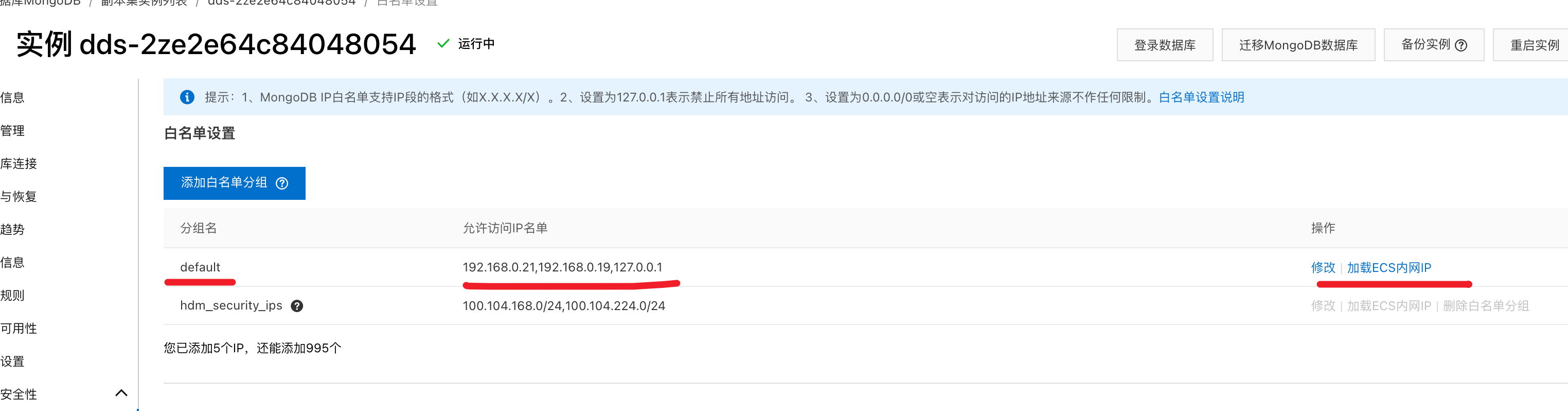
登录mongodb
[root@devops-web02 ~]# yum install docker -y
[root@devops-web02 ~]# cat /etc/docker/daemon.json
{
  "registry-mirrors": [
    "https://hub-mirror.c.163.com",
    "https://mirror.baidubce.com"
  ]
}

[root@devops-web02 ~]# systemctl start docker

# 走mongo4版本,登录阿里云mongodb
# 超哥改成了 root Yuchao123
[root@devops-web02 ~]# docker run -it mongo:4 mongo --host dds-2ze2e64c840480541.mongodb.rds.aliyuncs.com --port 3717 -uroot -pYuchao123
MongoDB shell version v4.4.19
connecting to: mongodb://dds-2ze2e64c840480541.mongodb.rds.aliyuncs.com:3717/?compressors=disabled&gssapiServiceName=mongodb
Implicit session: session { "id" : UUID("b636e09a-545b-4f61-9b90-d34e06fd88db") }
MongoDB server version: 4.2.13
WARNING: shell and server versions do not match
Welcome to the MongoDB shell.
For interactive help, type "help".
For more comprehensive documentation, see
    https://docs.mongodb.com/
Questions? Try the MongoDB Developer Community Forums
    https://community.mongodb.com
---
The server generated these startup warnings when booting:
2023-02-25T13:45:59.582+0800 I  STORAGE  [initandlisten]
2023-02-25T13:45:59.582+0800 I  STORAGE  [initandlisten] ** WARNING: Using the XFS filesystem is strongly recommended with the WiredTiger storage engine
2023-02-25T13:45:59.582+0800 I  STORAGE  [initandlisten] **          See http://dochub.mongodb.org/core/prodnotes-filesystem
---
---
        Enable MongoDB's free cloud-based monitoring service, which will then receive and display
        metrics about your deployment (disk utilization, CPU, operation statistics, etc).

        The monitoring data will be available on a MongoDB website with a unique URL accessible to you
        and anyone you share the URL with. MongoDB may use this information to make product
        improvements and to suggest MongoDB products and deployment options to you.

        To enable free monitoring, run the following command: db.enableFreeMonitoring()
        To permanently disable this reminder, run the following command: db.disableFreeMonitoring()
---
mgset-66566824:PRIMARY>

mgset-66566824:PRIMARY> db
test
mgset-66566824:PRIMARY> use yudb;
switched to db yudb
mgset-66566824:PRIMARY> db.tb1.insert({"name":"www.yuchaoit.cn"})
WriteResult({ "nInserted" : 1 })

mgset-66566824:PRIMARY> show collections
tb1
mgset-66566824:PRIMARY> db.tb1.find()
{ "_id" : ObjectId("63f9c2153969e4576da9c226"), "name" : "www.yuchaoit.cn" }
购买云ELK
费用较高,不建议练习了,和ELK本地部署一样玩法
去了公司有环境再查文档使用即可
https://elasticsearch.console.aliyun.com/cn-beijing/home
基础配置
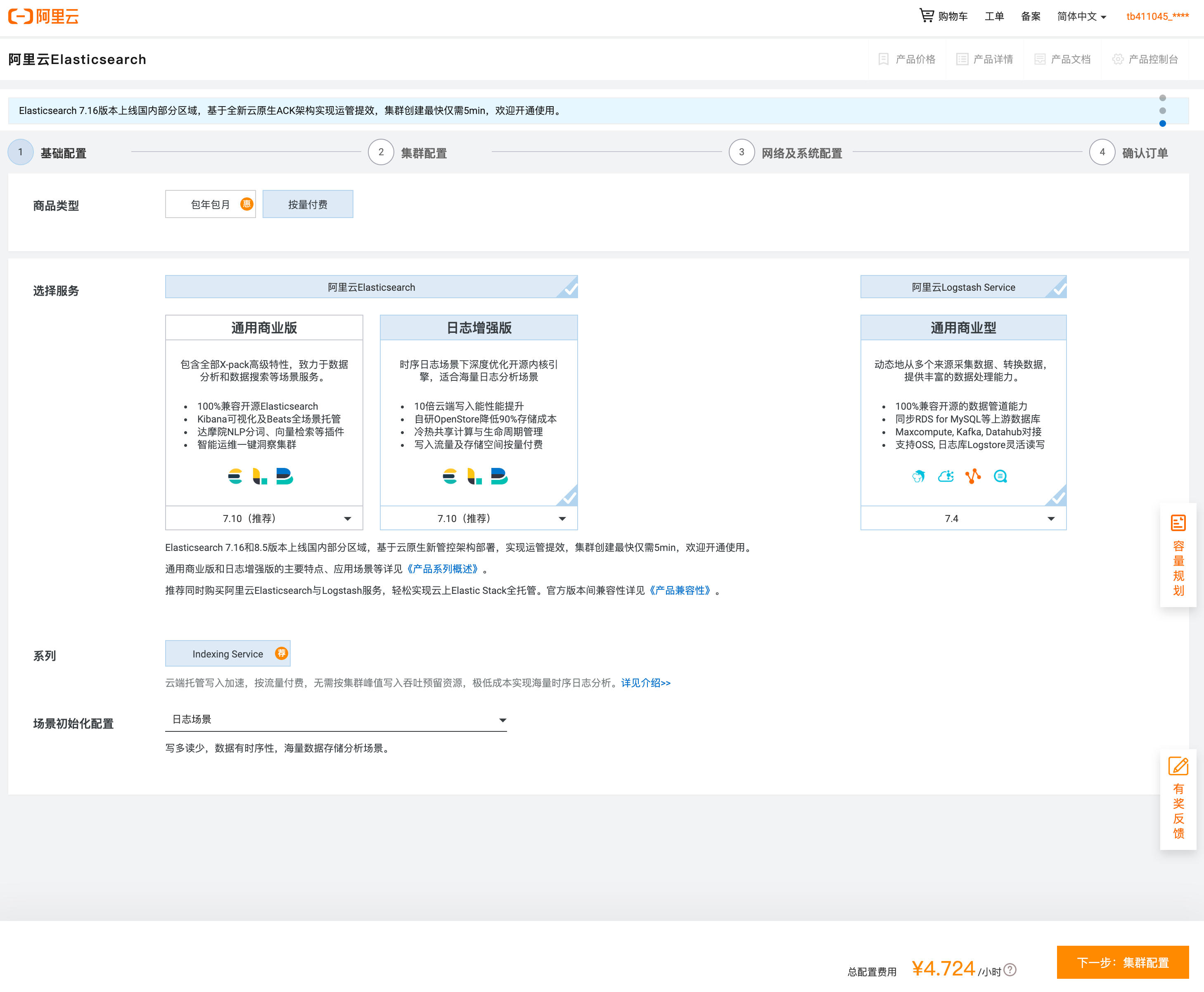
集群配置

网络配置
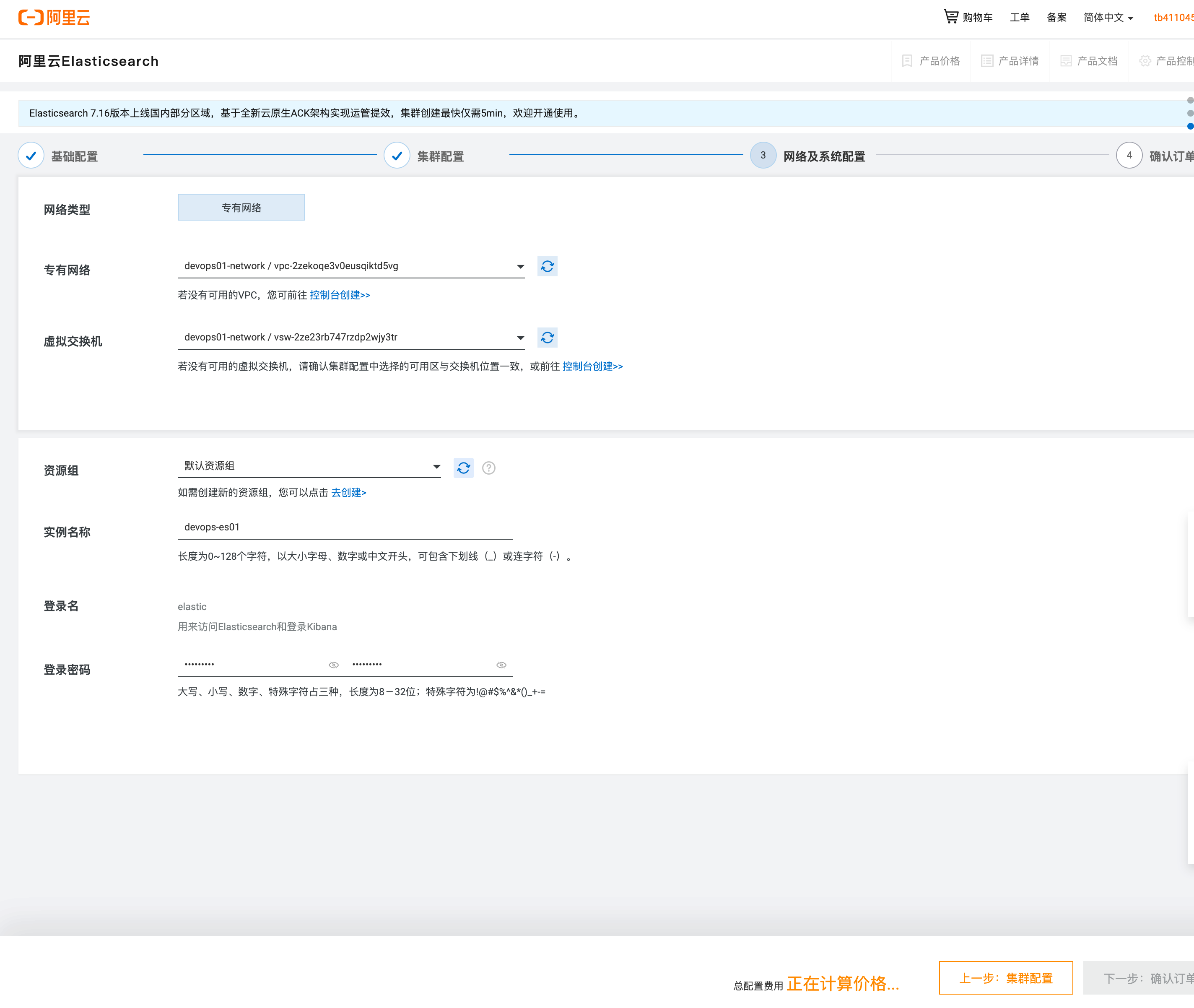
购买ES集群确认
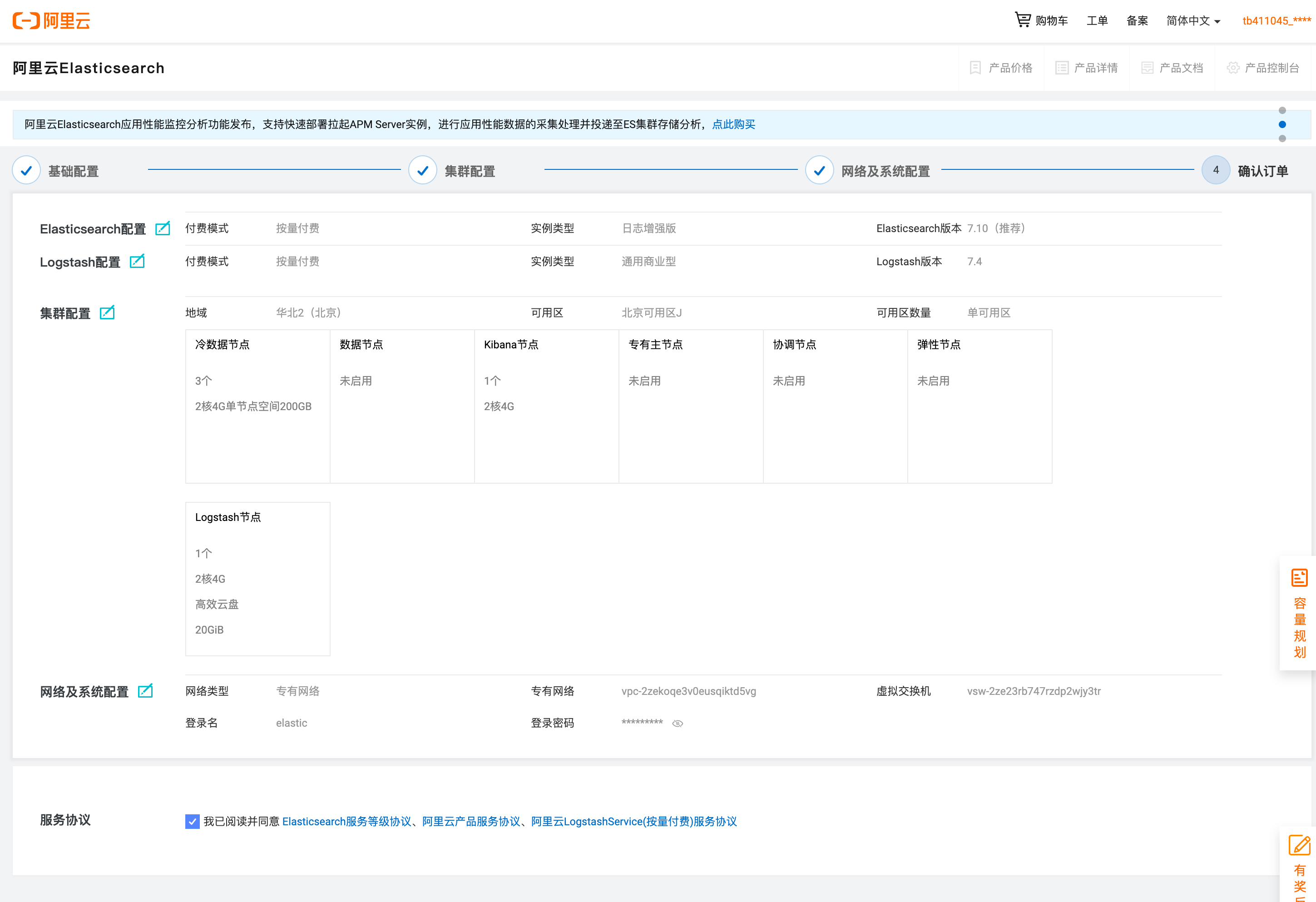
ES控制台
ES控制台,https://elasticsearch.console.aliyun.com/cn-beijing/home
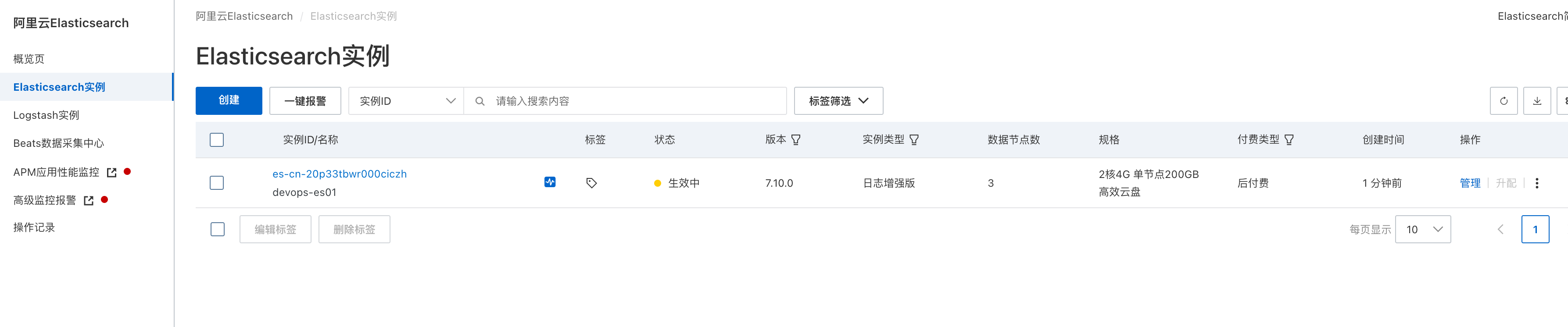
管理es界面
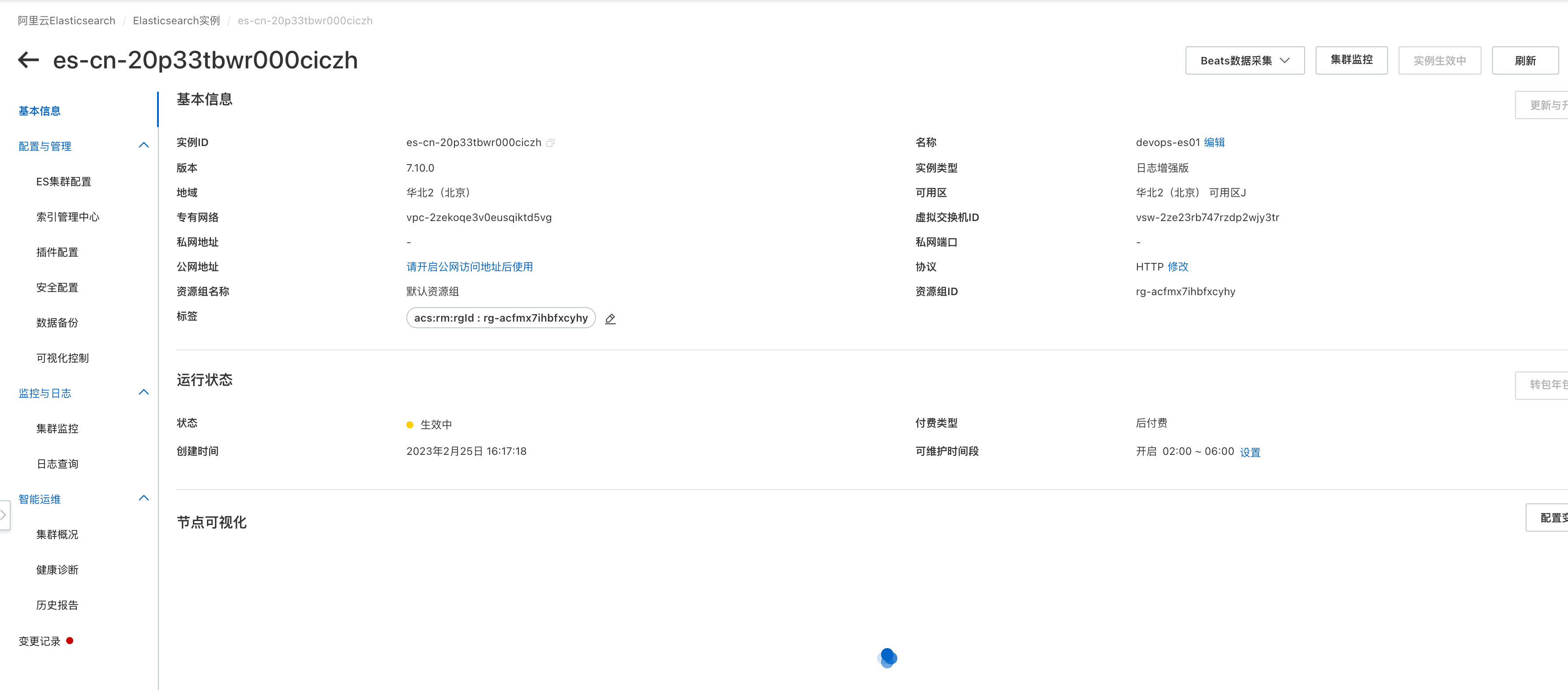
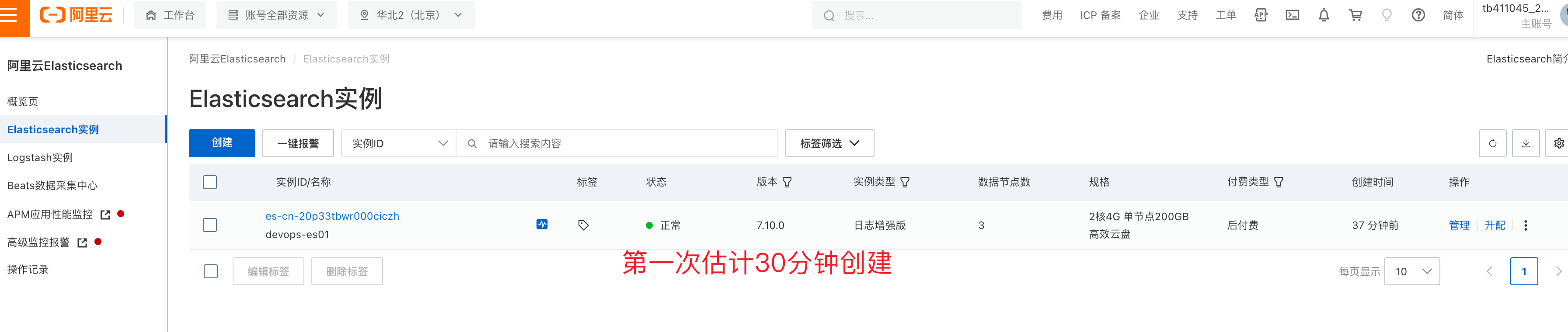
ES首次创建时间较久
得ES创建结束后,可以使用ELK功能
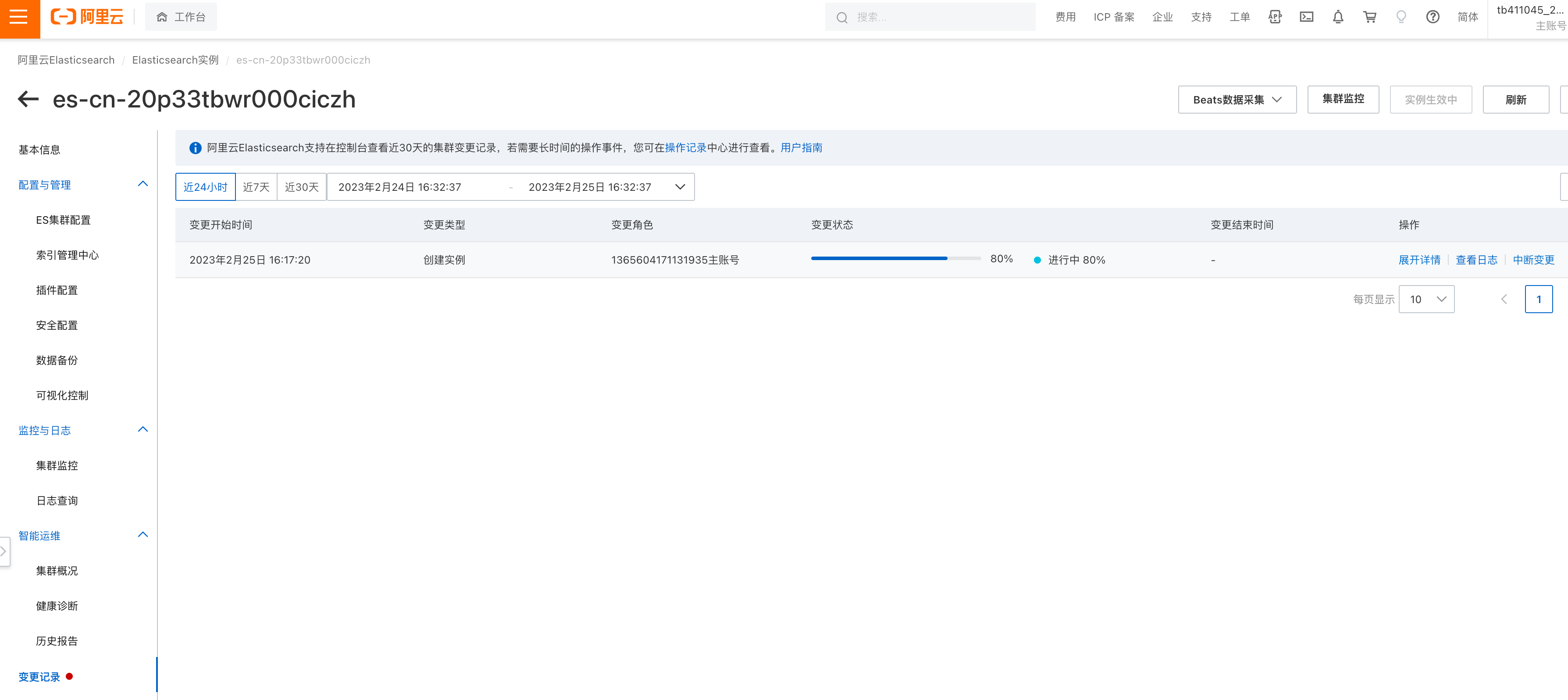
估计30分钟
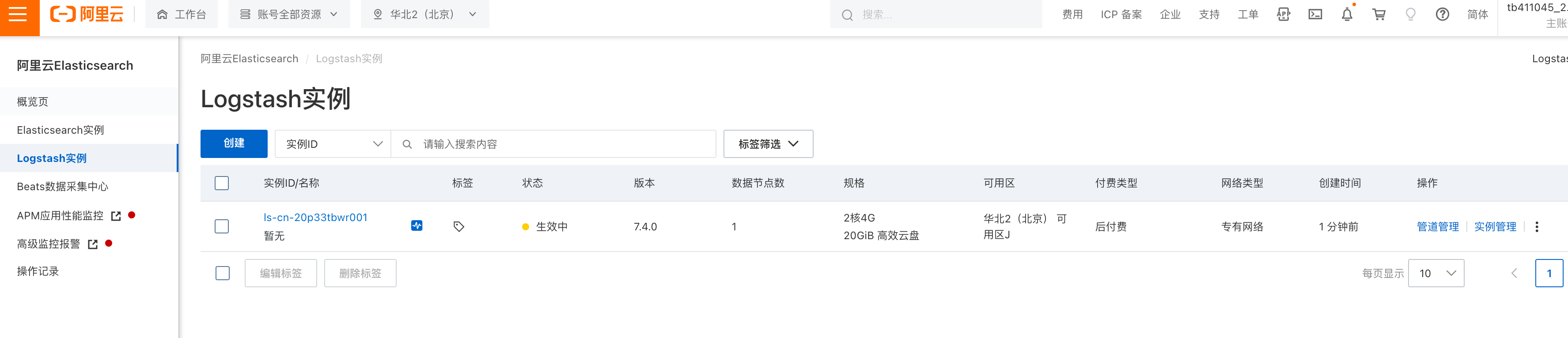
logstash控制台
logstash控制台,https://elasticsearch.console.aliyun.com/cn-hangzhou/logstashes
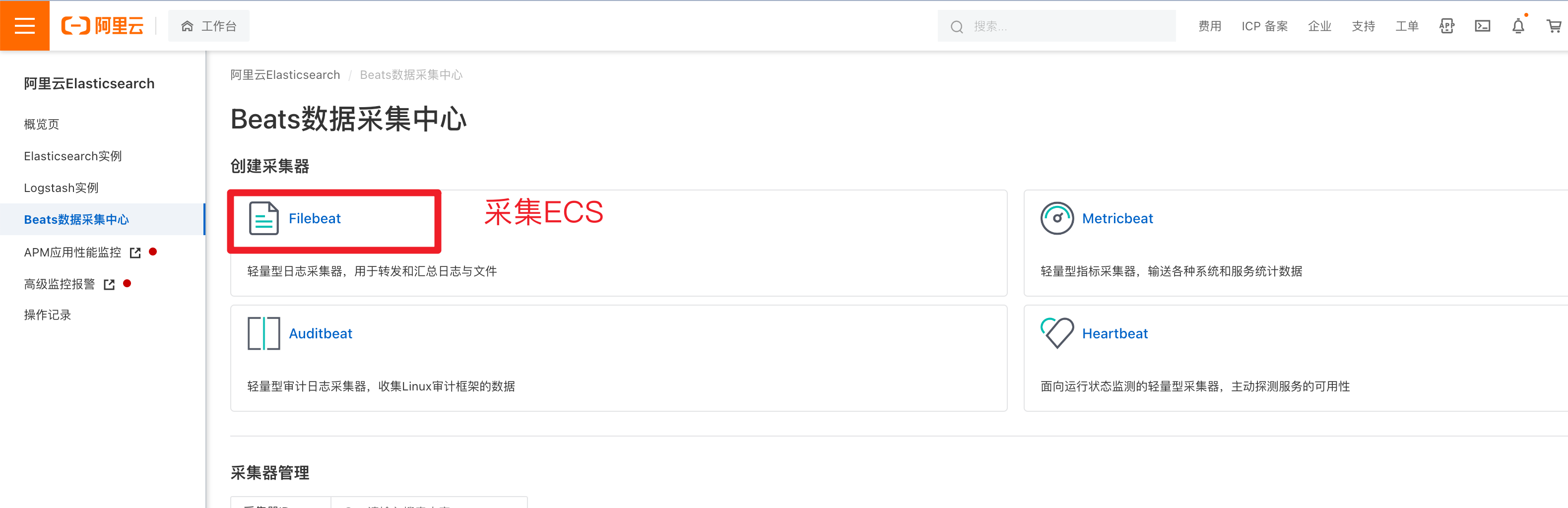
日志采集Beats中心
采集ECS数据
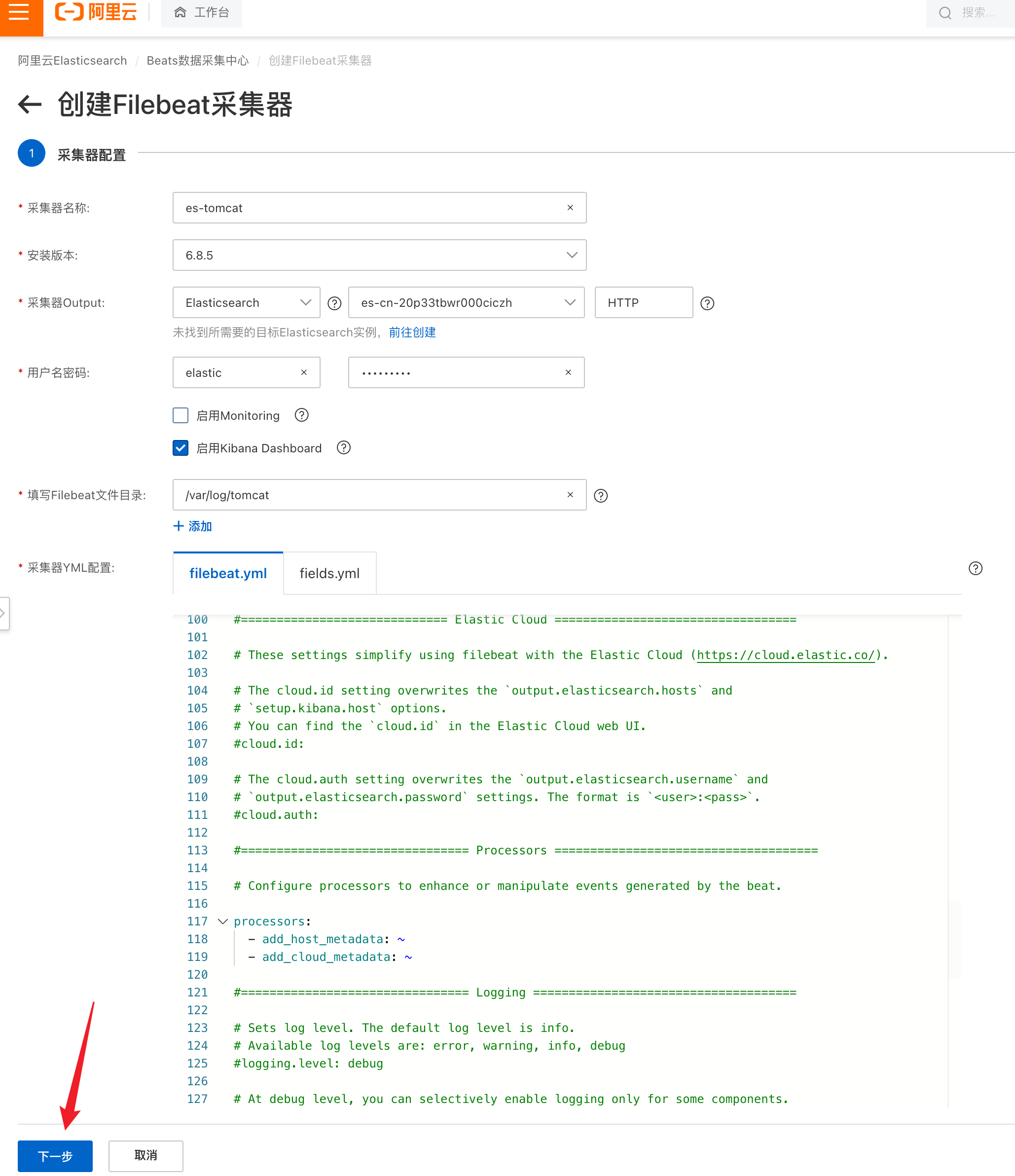
采集器设置
账户密码
elastic
Yuchao123
采集器添加成功
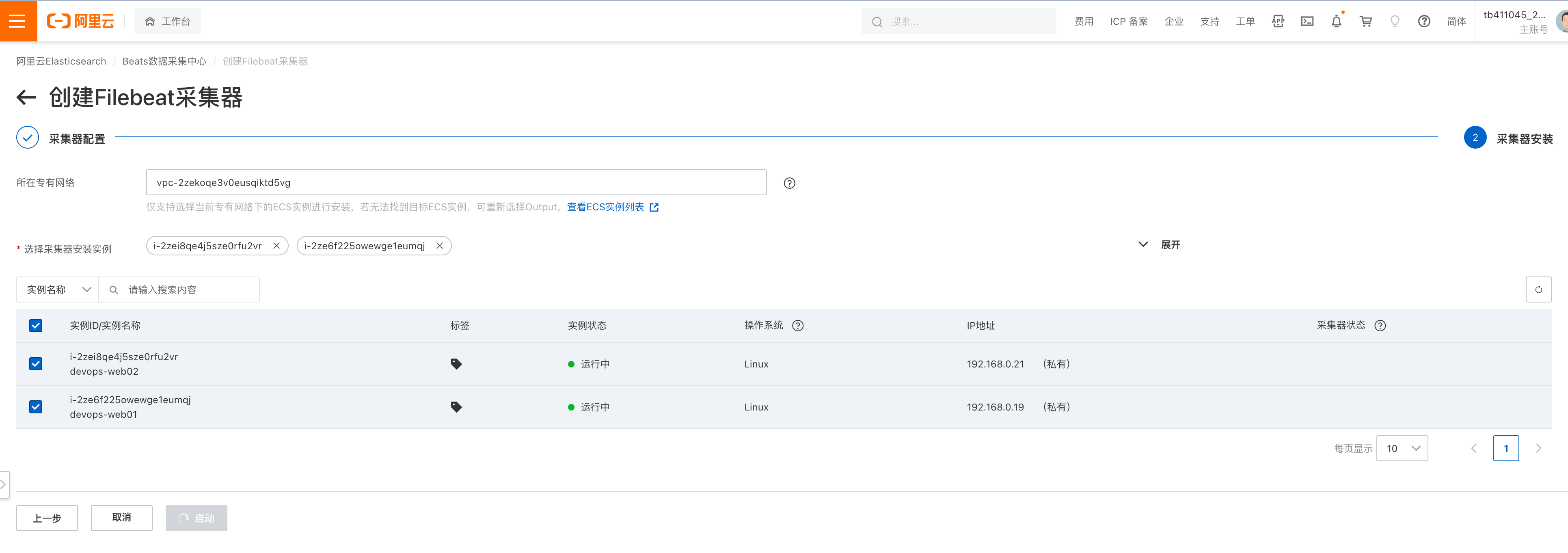
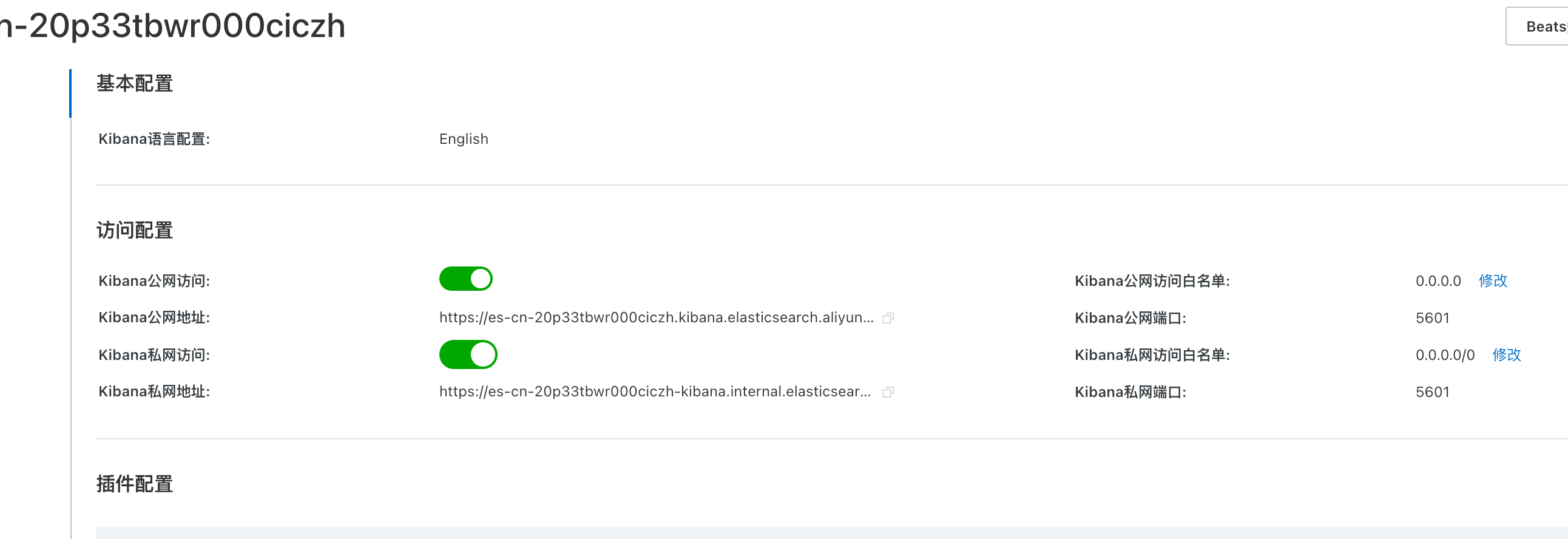
kibana访问设置
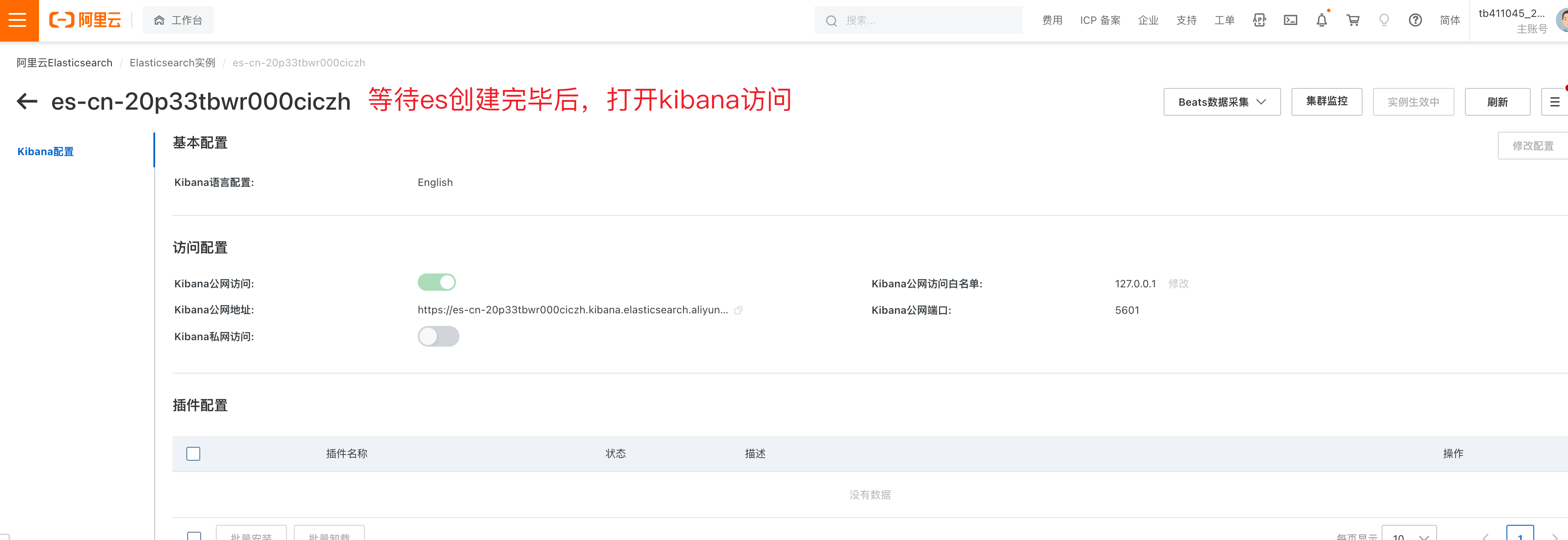
可视化控制
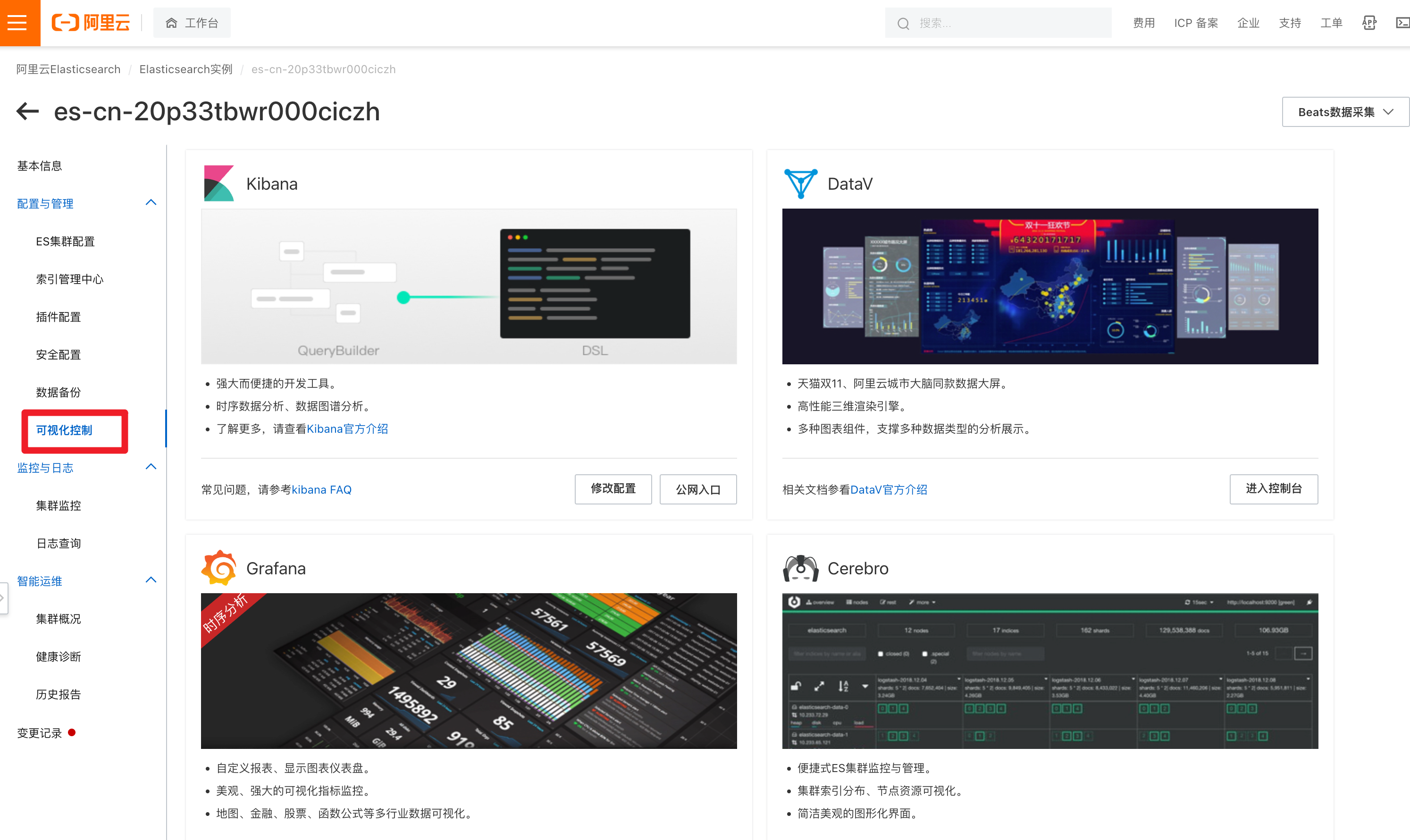
kibana私网访问
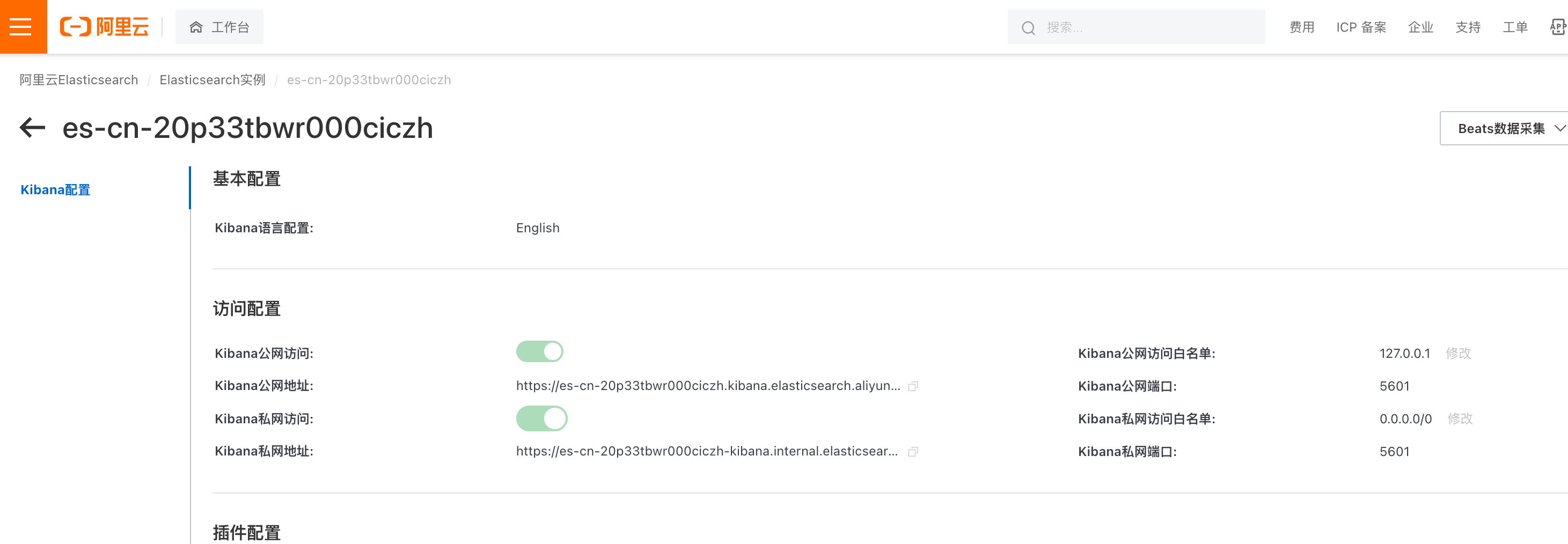
kibana公网白名单
kibana公网登录
https://es-cn-20p33tbwr000ciczh.kibana.elasticsearch.aliyuncs.com:5601/login?next=%2F
elastic
Yuchao123